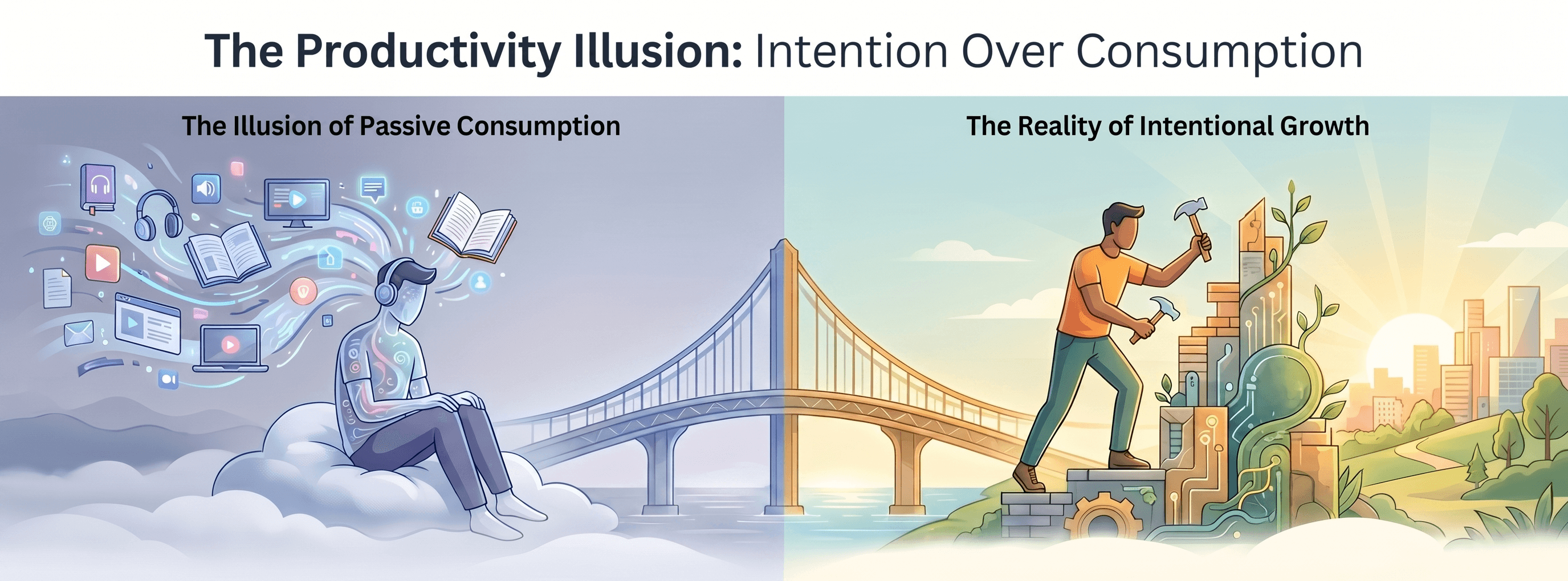
My Server Was a Superhero, and That Was the Problem
I had finally done it. My application was a well-oiled machine.
The database and cache were offloaded to managed services, so they could scale on their own.
My deployments were a one-command, automated dream.
My single server was humming along, its memory usage was stable, and the app was faster than ever.
For the first time, I felt like I had a truly professional setup.
And then, one Tuesday morning, AWS sent a routine email:
"Scheduled maintenance for hardware upgrades in your server's host region. Expect a brief reboot..."
My blood ran cold.
A reboot. A brief reboot. My entire application, my whole online presence, was going to just… turn off.
Sure, maybe it would only be for five minutes, but in that instant the fragility of my architecture hit me.
Everything I had built every feature, every user account, every bit of hard work depended entirely on one single machine staying on.
My server wasn't just a server; it was a superhero, single-handedly holding up my entire digital world.
And even superheroes have to sleep.
The Vertical Scaling Trap
My first instinct?
"Maybe I just need a better server."
It’s an appealing idea click a button, pay more money, and upgrade to a machine with more CPU cores and RAM.
That’s vertical scaling: making your one thing bigger and stronger.
But the maintenance email proved a brutal truth: even the biggest, most expensive server is still just one server.
It still has to be rebooted. Its hard drive can still fail. Its power supply can still die.
Scaling vertically is like buying an “unsinkable” ship it feels safe, but you’re still betting everything on a single vessel.
It doesn’t fix the real flaw: the single point of failure.
I didn’t need a bigger boat.
I needed a fleet.
The Power of More, Not Bigger
The only way to survive the failure of one thing is to have more than one of it.
That’s horizontal scaling.
Instead of one big server, what if I had two smaller, identical ones?
If one went down for maintenance or failed unexpectedly, the other could keep running and my users would never even know.
This was the path to true resilience.
But it raised a new question:
“If I have two servers, which one do my users connect to? And how is the traffic split?”
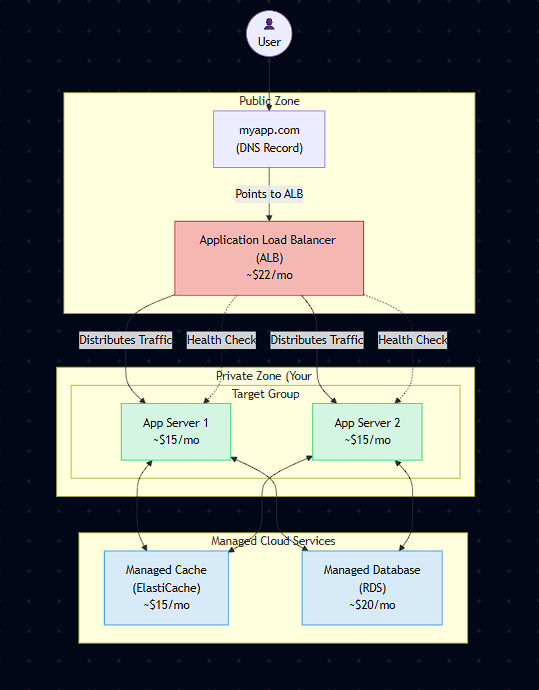
That led me to AWS’s dashboard, where I met my new best friend: the Application Load Balancer (ALB).
Building the Fleet
Surprisingly, the plan was straightforward.
Launch a Twin
I spun up a second, identical VM and deployed my same Dockerized application to it.
Now I had two servers, side-by-side, each capable of running the whole app.
Hire the Traffic Cop
The ALB doesn’t just point at individual server IPs.
First, I created a Target Group a logical container for my servers.
I set up a health check that pinged /health every 30 seconds.
If it got a 200 OK, the server was marked healthy.
(Think of it like a backstage manager making sure every performer is ready before sending them on stage.)
Set Up the Listener
On the ALB itself, I configured a Listener for port 80.
Its rule was simple:
“When a request comes in, send it to a healthy server in my Target Group.”
The ALB would automatically distribute requests evenly.
Update the Address
The magic moment updating my DNS.
Instead of pointing myapp.com to my server’s IP, I pointed it to the public DNS name of the ALB.
The First Test
I shut down one server manually, refreshed my site… and nothing happened.
It stayed online, smooth as ever.
Behind the scenes, the load balancer had noticed the outage during a health check and was silently routing all traffic to the surviving server.
When I restarted the downed server, the ALB welcomed it back into rotation without any downtime.
That was it I had built high availability.
No single point of failure.
A system that could take a punch and keep running.
The New Problem
As I admired my two-server fleet, a thought crept in.
My CI/CD pipeline was perfect for one server.
But now? Two servers meant two deployments.
What if I needed five servers?
Or ten?
How would I update them all at once without breaking things?
I could already picture the nightmare:
half my servers running old code, the other half on a new version, users getting inconsistent results.
I had solved the single-point-of-failure problem…
and opened the door to the complexity-at-scale problem.
Next up:
A Developer’s Journey to the Cloud 6: Managing Complexity with Kubernetes